An RSS feed reader reads feeds, such as news feeds, and presents the posts from different sources all in one location thus negating the need to follow the sites which leads to clutter in your inbox.
If you are new to the RSS feed concept then this quick video might be helpful.
What is a web-based feed reader? Give an example of at least one current application.
Web-based means that the feed is presented through some web site or that the reader is installed and run as a plug-in in a browser. One example of this technology is Feedly.
What is a stand-alone feed reader? Give an example of at least one current application.
Stand-alone means that the feed reader is a program installed on your computer and it can be started and by itself; it doesn’t run as a component of some other more general program. One example of this technology is Feedreader (this brand also has a web-based feeder).
Identify the features of these feed readers.
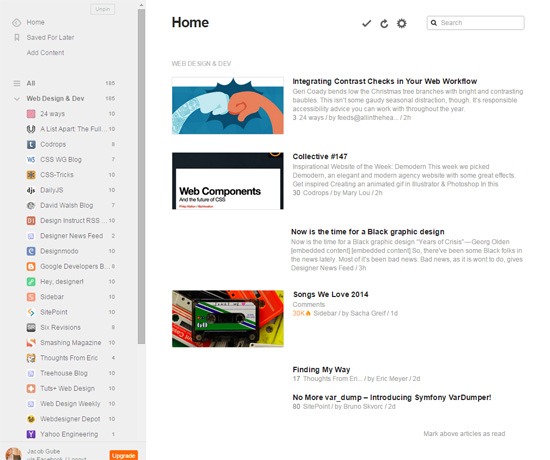
Feedly is an online RSS reader with a clutter-free user interface. It has an “Add Content” feature which aids you in quickly finding new content sources to subscribe to. It runs directly on your browser, no plug-ins required. Though Feedly is free to use as-is, it does have a paid subscription plan that costs $5 a month. The paid plan unlocks some more features such as integration with web apps like Evernote and Dropbox.
This is how Feedly looks like:
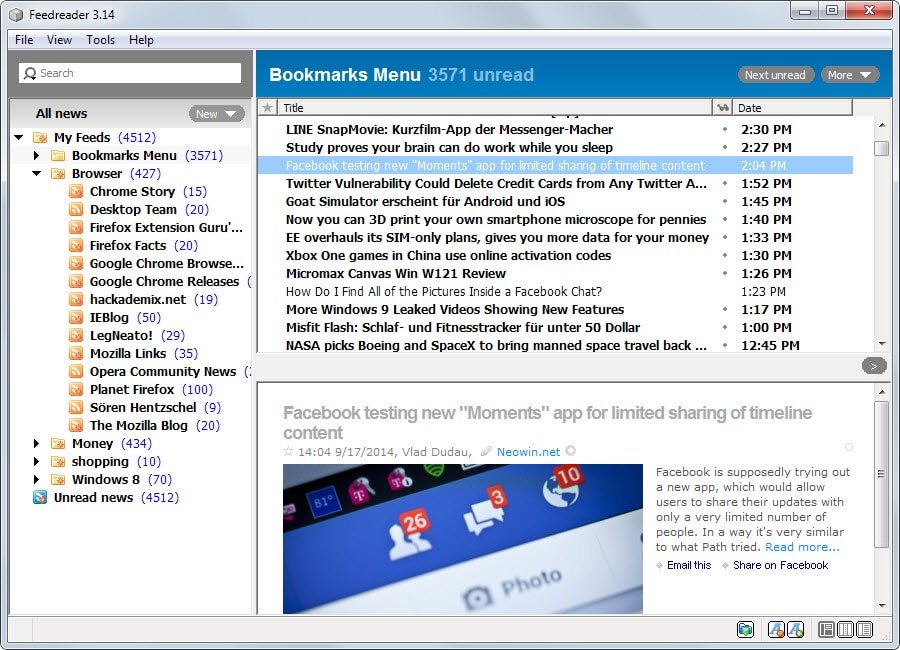
Feedreader has been one of the first desktop feed readers dating back as early as 2001. The program allows you to import an OPML feed or add individual feeds to it instead. All feeds can be sorted into folders and tagged individually. Feedreader displays notifications automatically when new items are discovered.
This is how Feedreader looks like:

 Class Notes